
IPTV Glossary: 50+ Streaming & Network Terms Explained
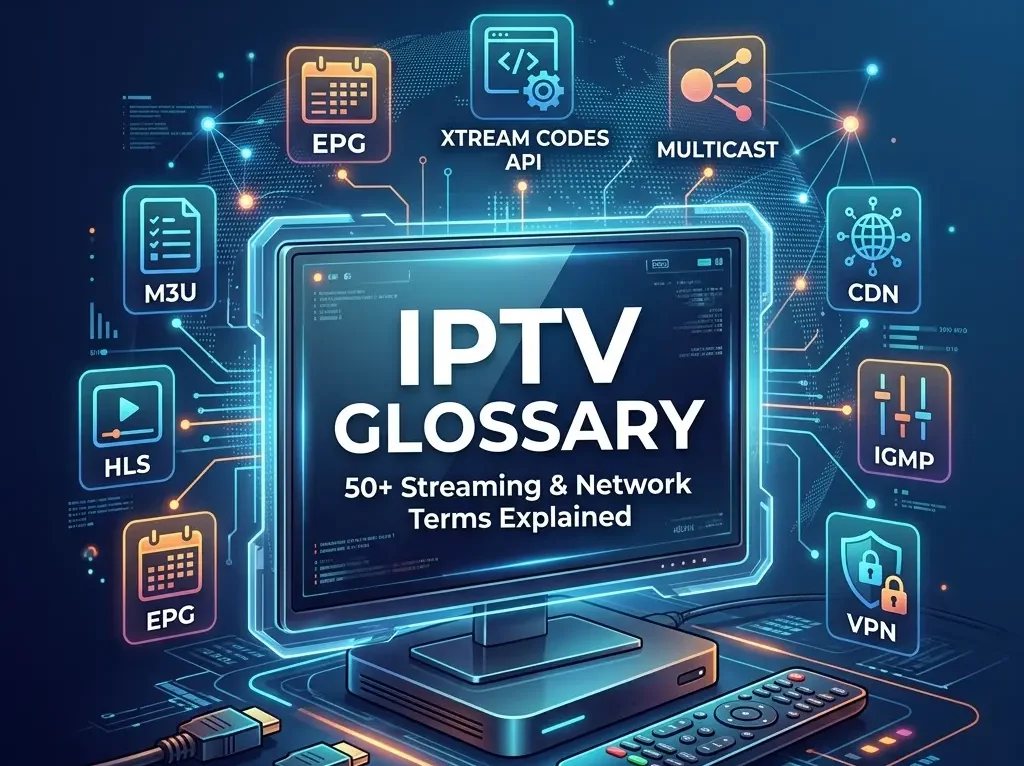
An IPTV glossary is a comprehensive technical dictionary that defines the protocols, file formats, and hardware interfaces used in digital streaming networks. This guide explains key terms—including M3U playlists, XMLTV program guides, HLS protocols, and multicast routing—providing the necessary context to help users configure streaming players, optimize router settings, and troubleshoot buffering issues. IPTV Glossary: 50+ Streaming & Network Terms Explained This iptv glossary is the ultimate reference guide to the dense array of technical abbreviations, network protocols, and hardware interfaces used in modern digital streaming. Setting up an IPTV player or diagnosing stream buffering issues requires a clear understanding of the terms in this reference page. This comprehensive iptv glossary provides clear, technically precise definitions for the key terminology, standards, and components of digital streaming systems. Do You Need to Know IPTV Terminology? Yes, understanding IPTV terminology is essential for configuring streaming players, improving network performance, and fixing setup errors. Having a reliable iptv glossary handy makes it easy to look up these details. Without a curated IPTV dictionary, knowing the difference between an M3U link, an Xtream Codes API login, or a Stalker Portal is difficult, which can lead to black screens or blank channel guides. To understand the underlying network differences, you can read our technical breakdown of IPTV vs OTT. Furthermore, utilizing this guide to understand network terms like IGMP snooping, CDNs, and VPN throttling helps you optimize your home router settings to eliminate buffering and stream freezes. Why IPTV Terms Matter Understanding IPTV terminology helps you troubleshoot common streaming issues, configure your player correctly, and optimize network performance. Most IPTV errors such as: Blank channels Buffering Missing EPG data Login failures are caused by misconfigured protocols, playlist formats, or network settings — all of which rely on the core definitions listed in this iptv glossary. Confused by the technical jargon? You don’t need to be a network engineer to enjoy high-quality streaming. Standard IPTV providers require you to manually configure XMLTV paths, parse M3U files, and troubleshoot carrier routing issues. Choosing a managed, pre-configured provider eliminates this complexity entirely. Test a free IPTV trial in Canada to see EPG and channel sync working out of the box. Tier 1: Formats & Streaming Protocols In this Tier 1 section of our iptv glossary, we cover the transport protocols, metadata schemas, and playlist specifications used to structure, serialize, and fetch video streams. M3U (MP3 URL) An M3U is a plain-text playlist file that contains a list of media URLs pointing to live streams. It functions as the channel guide map that tells your IPTV player where to find each stream online. For more information on playlist structures, see our guide to the M3U playlist. M3U8 An M3U8 is a specific M3U playlist file encoded in UTF-8. It is the standard format used by modern web servers and IPTV media players to stream High Definition (HD) audio and video. Extended M3U Tags Extended M3U tags are metadata directives that define channel parameters. These directives begin with #EXTM3U and include #EXTINF to specify channel logos (tvg-logo), EPG matching keys (tvg-id), and group names (group-title). HLS (HTTP Live Streaming) HTTP Live Streaming (HLS) is an adaptive bitrate streaming protocol developed by Apple that delivers video segments over standard HTTP connections. It splits video into small file chunks (typically 2 to 6 seconds long) indexed in a .m3u8 manifest file. LL-HLS (Low-Latency HLS) Low-Latency HLS (LL-HLS) is an extension of the HLS protocol that reduces stream latency to 2–5 seconds. It achieves this by dividing media segments into smaller, sub-second parts that the player can fetch before the full segment is finished. MPEG-DASH (Dynamic Adaptive Streaming over HTTP) MPEG-DASH is an XML-based adaptive streaming standard (ISO/IEC 23009-1) that serves video segments over HTTP. It uses a Media Presentation Description (.mpd) manifest to offer a vendor-neutral alternative to Apple HLS. XMLTV XMLTV is an XML-based file format used to distribute television schedules. It defines a structured schema (using <channel> and <programme> tags) to represent channel details, show titles, descriptions, and air times, which IPTV players parse to render guide data. MPEG-TS (MPEG Transport Stream) MPEG Transport Stream (MPEG-TS) is a digital container format optimized for real-time video transmission over lossy networks. It encapsulates audio and video streams into packet envelopes to facilitate rapid synchronization. Technical Details (Advanced Networking) MPEG-TS uses fixed-size 188-byte packets, including a 4-byte header. The header contains a Packet Identifier (PID) to categorize audio, video, and program metadata (Program Map Table or PMT). In UDP IPTV networks, encoders bundle exactly 7 MPEG-TS packets into a single 1,316-byte payload to stay within standard Ethernet Maximum Transmission Unit (MTU) limits without packet fragmentation. Tier 2: Hardware & Software Players This Tier 2 section of our iptv glossary lists the physical hardware interfaces and the client-side software applications used to parse playlists, fetch schedules, and decode video streams. Set-Top Box (STB) A Set-Top Box (STB) is a physical hardware receiver that connects to a television to decode and render incoming video streams. Dedicated IPTV set-top boxes feature custom hardware decoders for smooth video playback. MAG Box A MAG Box is a series of dedicated Linux-based set-top boxes manufactured by Infomir. These boxes rely on physical MAC address authentication and connect directly to server-side Stalker middleware portals to load streams. Amazon Fire TV / Firestick An Amazon Fire TV Stick is an Android-based (Fire OS) streaming media player that connects to an HDMI port. It is a highly popular, low-cost client device used to sideload software-based IPTV players. Nvidia Shield TV An Nvidia Shield TV is a high-performance Android TV streaming console equipped with a Tegra processor. It supports hardware-accelerated 4K decoding, multi-view streaming, and advanced client-side buffer caching. SFP GPON Module An SFP GPON module is a Small Form-factor Pluggable transceiver inserted into a router’s SFP port. It enables direct fiber termination (GPON) into third-party routers, allowing users to bypass provider-issued gateway modems. TiviMate TiviMate is a premium IPTV player application designed for Android TV and Fire OS. It features a customizable, grid-based TV guide, support for multiple playlists, and manual EPG channel mapping. IPTV Smarters Pro IPTV Smarters Pro is a cross-platform media player application
What Is an M3U Playlist? IPTV Playlist Formats Explained
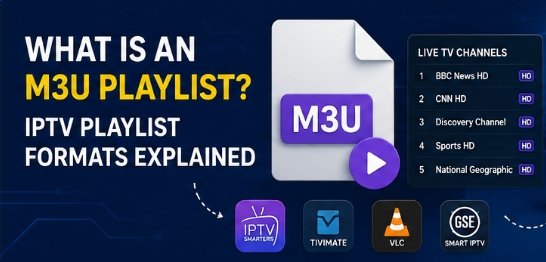
What Is an M3U Playlist? IPTV Playlist Formats Explained An M3U playlist is one of the most common ways to watch television over the internet today. If you have ever signed up for an internet television service or tried to set up a media player, you have likely been asked to load an “M3U URL” or an “M3U file.” While the name sounds technical, the concept is simple. This guide explains exactly what an M3U playlist is, how it works in plain language, how to load it on your favorite devices, and how to fix the most common errors. What Is an M3U Playlist? (Simple Explanation) An M3U playlist is a plain-text file that contains a list of links pointing to media streams. It tells your IPTV player where each channel’s video is located, but it does not contain the video itself. The #1 Beginner Misconception: An M3U playlist does not contain any video. It contains only references (URLs) to video streams hosted on a remote server. Think of an M3U playlist as a TV channel list, not the TV channels themselves — just like a restaurant menu lists the dishes but does not contain the actual food. If you open an M3U file in a text editor like Notepad, you will not see video data. Instead, you will see a list of web addresses (URLs) along with the names of the channels and categories. When you load this file into a media player, the app reads the text list, creates a clean channel guide on your screen, and connects to the correct stream when you click play. The Difference Between M3U and M3U8 You will often see two different file extensions: .m3u and .m3u8. M3U (Moving Picture Experts Group Audio Layer 3 Uniform Resource Locator) was originally created for audio playlists (like MP3 files) but was later adapted for video streaming. M3U8 is simply a modern version of M3U that uses UTF-8 character encoding. UTF-8 encoding is a standard that allows text to display international characters, symbols, and accents correctly. For modern streaming, M3U8 is the standard. If your playlist includes international channels (such as French, Spanish, or Arabic names), using M3U8 ensures the channel names do not turn into garbled text symbols on your screen. How Does an M3U Playlist Work? IPTV apps use internet-based streaming links to deliver channels in real time. Instead of downloading a whole video file before watching, your device plays the video as it arrives over the internet. Streams may use HLS (M3U8) over HTTP for compatibility across different devices. HLS (HTTP Live Streaming) is a technology developed by Apple that splits the video stream into short, numbered segments. Your player downloads these segments one after the other. Because it uses standard web traffic, it works on almost any device and bypasses standard home network restrictions. Additionally, the video quality adjusts automatically based on your internet speed. If your connection slows down, the stream will automatically load a slightly lower resolution to prevent the video from freezing. The Playback Flow Here is the simple step-by-step process of how your player uses an M3U playlist to show video: User Enters URL: You paste the M3U playlist link into your chosen media player. App Downloads List: The app sends a request to the provider’s server and downloads the M3U text file. App Parses Text: The app reads the list of channel names, categories, and stream URLs. App Builds Guide: The app displays a clean, navigable channel guide on your screen. User Selects Channel: You click on a channel you want to watch. App Connects to Stream: The app reads the stream URL associated with that channel and sends a request to the streaming server. Server Delivers Video: The streaming server starts sending video packets to your device. Video Plays: Your player decodes the packets and displays the live video on your screen. To learn more about the general infrastructure of internet-delivered television, you can read our guide on what is IPTV and its history in Canada. A Real Example of an M3U Playlist File To understand how your player reads a playlist, it helps to see what the raw text looks like. Below is a real, basic example of a standard M3U playlist file: #EXTM3U #EXTINF:-1, BBC News http://example.com/live/bbc.m3u8 #EXTINF:-1, CNN Live http://example.com/live/cnn.m3u8 Breaking Down the Code Let’s dissect what each part of this text file means: #EXTM3U: This must always be on the very first line of the file. It tells the media player: “This is an extended M3U file, so expect channel names and tags, not just a list of URLs.” If this line is missing or has a typo, your player will reject the file. #EXTINF: This tag stands for “Extended Info.” It introduces a channel and contains all the metadata for it. -1: The number immediately after the colon represents the video duration in seconds. In standard music playlists, this would show the track length (e.g., 240 seconds). For live streaming, it is set to -1 to tell the player: “This is a live broadcast with no set duration, so do not try to seek or fast-forward.” tvg-id=”BBC1″: This is the unique identifier for the channel. Your player uses this ID to search your Electronic Program Guide (EPG) file and find the current TV schedule. tvg-name=”BBC One”: The official name of the channel. tvg-logo=”…”: A web link pointing to the channel’s icon or logo. The player downloads this image to display next to the channel name in your guide. group-title=”Canada Sports”: This defines the category folder. The player will group all channels with the same group title into a folder (e.g., “Sports,” “News,” or “Entertainment”) so you can find them easily. ,BBC One: The text after the comma is the display name that will appear on your TV screen. http://example.com/…: The line directly below the #EXTINF tags is the actual web address of the video stream. This is where your player connects to pull the video packets. To see how these files are handled by the server and player in detail, check out our guide on how IPTV works. The Technical Anatomy of an M3U File Every M3U playlist follows a
What Is IPTV? The Complete Guide for Canadian Viewers (2026)
What Is IPTV? The Complete Guide for Canadian Viewers (2026) – CRTC Rules, Legal Risks & Setup Guide IPTV stands for Internet Protocol Television. It is a technology that transmits live television broadcasts and on-demand video over a broadband internet connection—using the exact same internet data packets that load websites or play YouTube videos. Unlike traditional cable TV, which requires a dedicated coaxial cable line, or satellite TV, which requires a physical dish antenna pointed at the sky, IPTV only requires a stable internet connection and a compatible player app or set-top box. In Canada, IPTV providers must be registered with the CRTC or follow strict exemption rules to distribute content legally. If you have ever watched live programming on CBC Gem, caught a hockey game on Sportsnet+, or logged into a streaming TV app on your phone, you have already used IPTV. Over the past decade, television delivery has undergone a quiet transition. Traditional TV networks are dismantling their analog broadcast towers and coaxial copper networks, migrating the entire infrastructure to internet-based transmission. For Canadian consumers, this shift represents both an opportunity and a source of confusion.The opportunity is obvious: cutting the cord and switching to internet-based television can save the average Canadian household over $100 per month. The confusion stems from the emergence of thousands of low-cost online services advertising claims such as “15,000 live channels for $10 a month” alongside legitimate providers like Bell Fibe TV, Rogers Xfinity TV, RiverTV, and VMedia.. Understanding the Canadian IPTV landscape in 2026 requires looking past user interfaces. The difference between a legal, licensed service and an unauthorized, grey-market stream lies in the regulatory compliance under Canada’s Broadcasting Act, licensing agreements with copyright owners, and the technical delivery systems operating behind the scenes. This guide is written to help you understand how the technology works, navigate the legal landscape, troubleshoot playback issues, and set up a compliant media player. 💬 People Also Ask: What does IPTV stand for? IPTV stands for Internet Protocol Television, which is the delivery of television content over IP networks. This contrasts with delivery through traditional terrestrial, satellite, and cable television formats. What Is IPTV? ⚡ Quick Answer: IPTV is the delivery of television programming over Internet Protocol (IP) networks. It works by transmitting encoded video streams in continuous data packets to specific IP addresses, rather than broadcasting all channels simultaneously over cable lines or satellite frequencies, allowing for high-definition, interactive, and multi-device viewing. To understand IPTV, it helps to compare it to the television formats that dominated the last half-century. Traditional cable and satellite systems use a continuous broadcast model. In a legacy coaxial cable network, the provider sends every channel’s signal down the wire to your home simultaneously. When you change channels on a traditional cable box, you are simply instructing the box to tune to a different frequency on the incoming line. This requires massive physical bandwidth and keeps you locked into a single physical location where the coaxial cable is terminated. IPTV, by contrast, only sends the channel you are actively watching. When you select a channel on an IPTV player, it sends a request back to the provider’s server. The server then initiates a unicast or multicast stream of data packets directly to your device’s IP address. This package-based transmission model means IPTV can be accessed over any stable internet connection, on any compatible device, anywhere in Canada. The Three Core Components of an IPTV System The Ingestion and Encoding Headend: Broadcast satellite signals, live camera feeds, and pre-recorded video files are captured and compressed using modern video codecs (such as H.264, H.265/HEVC, or AV1). The Content Delivery Network (CDN): Geographically distributed networks of servers cache and replicate the encoded stream segments. When a viewer in Calgary selects a channel, the stream is delivered from a CDN edge node located within the city, minimizing latency and buffering. The Client-Side Player Application: An app installed on a smart TV, streaming stick, or computer (such as Vibe Viso, TiviMate, or Apple TV) receives the incoming data packets, reassembles them, decompresses the video, and renders it on screen in real-time. [Satellite / Live Feed] ──> [Encoding Headend] ──> [CDN Edge Server (Local City)] ──> [ISP Gateway] ──> [Home Router] ──> [IPTV Player App] 💬 People Also Ask: Is IPTV the same as Netflix or standard streaming apps? While both transmit video over the internet, Netflix focuses almost entirely on pre-recorded Video-on-Demand (VOD) using asynchronous unicast streaming. IPTV specializes in delivering live, synchronized television broadcasts, complete with structured electronic program guides (EPG) and real-time channel switching. → Learn how Vibe Viso handles live stream playback — an advanced BYOM player optimized for high-bitrate live TV feeds. How Does IPTV Work in Canada? ⚡ Quick Answer: IPTV works by converting live TV signals into digital data packets, which are cached on local Canadian Content Delivery Networks (CDNs) and routed through ISPs using protocols like HLS or MPEG-DASH. Legal telecom services use managed multicast networks, while independent services use unicast over the public internet. To understand the difference in quality between various IPTV services, we must look at the two primary transmission architectures used to deliver streams to Canadian homes. Multicast Delivery vs. Unicast Streaming Managed Multicast IPTV (Telecom Networks) Major Canadian telecommunications companies (such as Bell with Fibe TV and Telus with Optik TV) deliver their television services over private, managed fiber-to-the-home (FTTH) networks using IP Multicast. This architecture relies on the Internet Group Management Protocol (IGMP, RFC 3376). In a multicast setup, the ISP sends a single video feed to a local network node. When your set-top box requests a channel, the local node replicates the feed to your specific port. This prevents the ISP’s network backbone from becoming congested, as a million viewers watching a hockey game only consume the bandwidth of a single stream on the main transmission line. WARNING If you use your own router behind a telecom gateway, you must enable IGMP Snooping in your router’s LAN settings. Without IGMP Snooping, the router treats multicast stream packets as broadcast packets, sending them