
TiviMate IPTV Player Review: Setup, Features & Tips (2026)
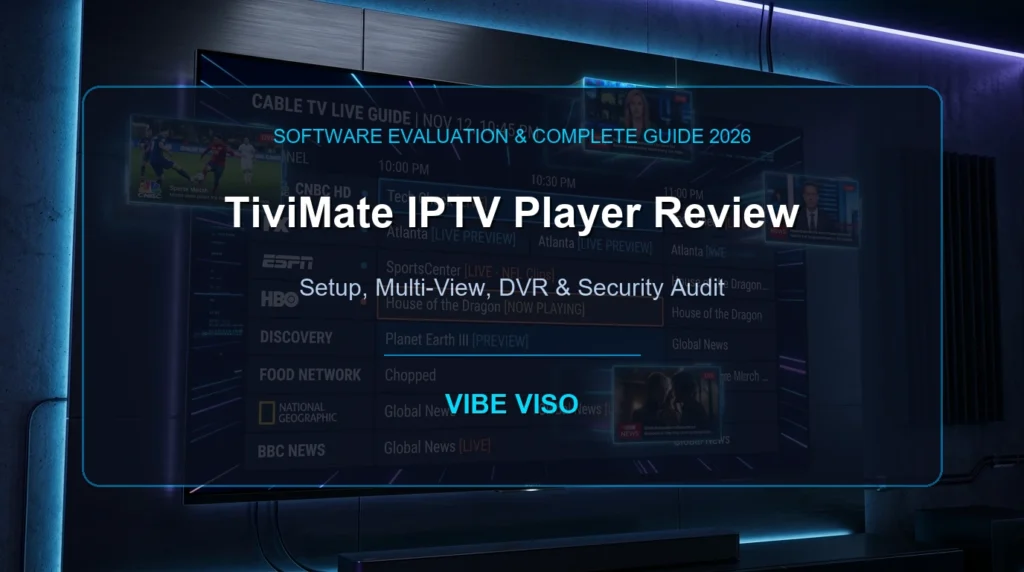
The TiviMate IPTV Player is widely recognized as the premier media player application for Android TV, Google TV, and Amazon FireStick devices. It converts raw streaming feeds into a fluid, cable-like interface with multi-view support, scheduled recording, and sub-second channel zapping. While TiviMate is free to download, unlocking TiviMate Premium (4.99/yearor4.99/yearor19.99 lifetime for 5 devices) is essential to access multi-screen setups, SMB/NAS DVR recording, and custom guide mapping. TiviMate does not provide content; users must supply their own legitimate playlist or Xtream Codes API credentials. TiviMate IPTV Player Review: Setup, Features & Tips (2026) Finding the right media player software is the single most critical factor in achieving a smooth, buffering-free television experience. While internet bandwidth and provider server health play key roles, your player application dictates how quickly channels zap, how accurately guide data renders, and how efficiently video codecs decode. In this technical tivimate review, our laboratory breaks down every aspect of TiviMate IPTV Player—from underlying video engine architecture and step-by-step setup guides to advanced SMB network recording and security warnings regarding cracked APKs. If you are comparing player options across operating systems, start with our master guide to the best IPTV apps. What Is TiviMate IPTV Player? (Architecture & Core Design) TiviMate IPTV Player is a standalone media management and video rendering application developed specifically for television interfaces running Android TV, Google TV, and Amazon Fire OS. Unlike mobile apps ported to television screens, TiviMate was engineered from day one for 10-foot television viewing driven by remote control D-pads. It is critical for new users to understand that TiviMate IPTV Player is an empty software container. It functions identically to a physical set-top box or media shell: it contains no built-in channels, live streams, movies, or TV series. To watch content, users must import their own M3U playlist file or Xtream Codes API login credentials provided by a legitimate service. For a complete breakdown of how internet television pipelines operate, read our comprehensive IPTV beginner guide. Underlying Media Engine: AndroidX Media3 & ExoPlayer Under the hood, TiviMate v5.x utilizes the modern AndroidX Media3 framework (androidx.media3.exoplayer) as its core demuxing and decoding engine. By interfacing directly with Android’s MediaCodec API, TiviMate passes incoming H.264 (AVC), H.265 (HEVC), AV1, and MPEG-2 bitstreams straight to physical VPU hardware decoders. Zero-Copy Hardware Composition in TiviMate: [Incoming Stream] –> [MediaCodec VPU Hardware Decoder] –> [ANativeWindow] –> [SurfaceView Hardware Plane] –> [TV Display] SurfaceView Zero-Copy Rendering Architecture Most standard video apps render video onto a TextureView, which forces the GPU to perform an extra graphics composition pass for every single frame. TiviMate bypasses this overhead by using a hardware-level SurfaceView. Video frames pass from the hardware decoder directly to an independent display overlay plane without consuming GPU shader pipelines or triggering CPU memory copies. This zero-copy architecture keeps active RAM heap consumption at a remarkably low ~110MB, preventing thermal throttling and interface lag even on budget streaming dongles. TiviMate Free vs. TiviMate Premium (Comparison Matrix) TiviMate is offered under a freemium software model. The free version allows basic single-playlist streaming, making it suitable for testing playback compatibility. However, unlocking TiviMate Premium transforms the app into a full-featured digital video recorder and multi-room entertainment portal. Feature / Capability TiviMate Free Version TiviMate Premium (4.99/yror4.99/yror19.99 Lifetime) Playlist Limit 1 Playlist Only Unlimited Playlists & Stalker Portals Device Licensing Single Device 5 Active Devices Simultaneously Multi-View Support Disabled Up to 9 Concurrent Screens DVR Recording Disabled Scheduled & Manual Recording (Local & SMB/NAS) Guide & EPG Management Basic Automatic EPG Multi-EPG Sources & Manual Channel Binding Interface Customization Standard Default Theme Custom Categories, Logos, & Color Themes Channel Favorites & Hiding Limited Favorites Full Group Management, Hiding, & Sorting Auto-Frame Rate (AFR) Disabled Native Refresh Rate Matching (50Hz / 60Hz) User-Agent Spoofing Global Default Only Custom Per-Playlist Header Overrides Parental Controls Disabled PIN Protection per Category / Channel For cord-cutters evaluating a tivimate iptv subscription setup across multiple screens, upgrading to TiviMate Premium is highly recommended. A single Premium license covers up to five simultaneous devices, making the lifetime license exceptionally cost-effective over time. Step-by-Step TiviMate Setup Guide (FireStick & Android TV) Setting up TiviMate IPTV Player involves installing the application shell, unlocking Premium licensing, and connecting your service credentials. Below is the complete installation walkthrough validated by our software testing lab. 1. Installing TiviMate on Amazon FireStick & Fire TV Because Amazon’s Appstore does not host TiviMate directly, FireStick users must sideload the official application using the Downloader utility. Step A: Enable Developer Options (Fire OS 7 & 8) Navigate to Settings (gear icon) on your Fire TV Home screen. Select My Fire TV (or Device & Software). Click About. Highlight your device name (e.g., Fire TV Stick 4K Max) and press the Select / OK button 7 times rapidly until the toast message appears: “No need, you are already a developer.” Press the Back button to return to My Fire TV, then open the newly revealed Developer Options. Select Install unknown apps and toggle Downloader to ON. Step B: Sideload via Downloader App Open the Downloader app from your apps list. Click the URL search bar on the Home tab. Enter the official TiviMate Downloader Code: 272483 (or direct URL: https://tivimate.com/apk). Click Go. Downloader will automatically fetch the latest official APK package. Click Install on the prompt, then click Done. Select Delete on the Downloader file notification to remove the temporary installer file and save local storage space. 2. Installing TiviMate on Android TV & Google TV For certified devices like the Nvidia Shield TV, Chromecast with Google TV, or Sony Bravia TVs: Open the native Google Play Store on your TV. Search for “TiviMate IPTV Player”. Select the official application published by Arman Brnovic. Click Install. Play Store installations update automatically in the background. 3. Purchasing & Activating TiviMate Premium Because Fire TV devices lack Google Play Services, developer Arman Brnovic created the TiviMate Companion mobile application to manage subscriptions and device activations. Install TiviMate Companion: Download TiviMate Companion from the Google Play Store onto an Android phone or tablet. (Mac and Windows users without an Android phone can run TiviMate Companion inside a free PC emulator like BlueStacks). Create Account & Purchase: Open the Companion app, click Account, register your email and password, and choose either the 4.99/year∗∗or∗∗4.99/year∗∗or∗∗19.99 Lifetime plan via Google Play Billing. Activate TV Devices: Open TiviMate on your FireStick or Android TV, go to Settings > Unlock Premium > Account > Log In, and enter
What Is IPTV? The Complete Guide for Canadian Viewers (2026)
What Is IPTV? The Complete Guide for Canadian Viewers (2026) – CRTC Rules, Legal Risks & Setup Guide IPTV stands for Internet Protocol Television. It is a technology that transmits live television broadcasts and on-demand video over a broadband internet connection—using the exact same internet data packets that load websites or play YouTube videos. Unlike traditional cable TV, which requires a dedicated coaxial cable line, or satellite TV, which requires a physical dish antenna pointed at the sky, IPTV only requires a stable internet connection and a compatible player app or set-top box. In Canada, IPTV providers must be registered with the CRTC or follow strict exemption rules to distribute content legally. If you have ever watched live programming on CBC Gem, caught a hockey game on Sportsnet+, or logged into a streaming TV app on your phone, you have already used IPTV. Over the past decade, television delivery has undergone a quiet transition. Traditional TV networks are dismantling their analog broadcast towers and coaxial copper networks, migrating the entire infrastructure to internet-based transmission. For Canadian consumers, this shift represents both an opportunity and a source of confusion.The opportunity is obvious: cutting the cord and switching to internet-based television can save the average Canadian household over $100 per month. The confusion stems from the emergence of thousands of low-cost online services advertising claims such as “15,000 live channels for $10 a month” alongside legitimate providers like Bell Fibe TV, Rogers Xfinity TV, RiverTV, and VMedia.. Understanding the Canadian IPTV landscape in 2026 requires looking past user interfaces. The difference between a legal, licensed service and an unauthorized, grey-market stream lies in the regulatory compliance under Canada’s Broadcasting Act, licensing agreements with copyright owners, and the technical delivery systems operating behind the scenes. This guide is written to help you understand how the technology works, navigate the legal landscape, troubleshoot playback issues, and set up a compliant media player. 💬 People Also Ask: What does IPTV stand for? IPTV stands for Internet Protocol Television, which is the delivery of television content over IP networks. This contrasts with delivery through traditional terrestrial, satellite, and cable television formats. What Is IPTV? ⚡ Quick Answer: IPTV is the delivery of television programming over Internet Protocol (IP) networks. It works by transmitting encoded video streams in continuous data packets to specific IP addresses, rather than broadcasting all channels simultaneously over cable lines or satellite frequencies, allowing for high-definition, interactive, and multi-device viewing. To understand IPTV, it helps to compare it to the television formats that dominated the last half-century. Traditional cable and satellite systems use a continuous broadcast model. In a legacy coaxial cable network, the provider sends every channel’s signal down the wire to your home simultaneously. When you change channels on a traditional cable box, you are simply instructing the box to tune to a different frequency on the incoming line. This requires massive physical bandwidth and keeps you locked into a single physical location where the coaxial cable is terminated. IPTV, by contrast, only sends the channel you are actively watching. When you select a channel on an IPTV player, it sends a request back to the provider’s server. The server then initiates a unicast or multicast stream of data packets directly to your device’s IP address. This package-based transmission model means IPTV can be accessed over any stable internet connection, on any compatible device, anywhere in Canada. The Three Core Components of an IPTV System The Ingestion and Encoding Headend: Broadcast satellite signals, live camera feeds, and pre-recorded video files are captured and compressed using modern video codecs (such as H.264, H.265/HEVC, or AV1). The Content Delivery Network (CDN): Geographically distributed networks of servers cache and replicate the encoded stream segments. When a viewer in Calgary selects a channel, the stream is delivered from a CDN edge node located within the city, minimizing latency and buffering. The Client-Side Player Application: An app installed on a smart TV, streaming stick, or computer (such as Vibe Viso, TiviMate, or Apple TV) receives the incoming data packets, reassembles them, decompresses the video, and renders it on screen in real-time. [Satellite / Live Feed] ──> [Encoding Headend] ──> [CDN Edge Server (Local City)] ──> [ISP Gateway] ──> [Home Router] ──> [IPTV Player App] 💬 People Also Ask: Is IPTV the same as Netflix or standard streaming apps? While both transmit video over the internet, Netflix focuses almost entirely on pre-recorded Video-on-Demand (VOD) using asynchronous unicast streaming. IPTV specializes in delivering live, synchronized television broadcasts, complete with structured electronic program guides (EPG) and real-time channel switching. → Learn how Vibe Viso handles live stream playback — an advanced BYOM player optimized for high-bitrate live TV feeds. How Does IPTV Work in Canada? ⚡ Quick Answer: IPTV works by converting live TV signals into digital data packets, which are cached on local Canadian Content Delivery Networks (CDNs) and routed through ISPs using protocols like HLS or MPEG-DASH. Legal telecom services use managed multicast networks, while independent services use unicast over the public internet. To understand the difference in quality between various IPTV services, we must look at the two primary transmission architectures used to deliver streams to Canadian homes. Multicast Delivery vs. Unicast Streaming Managed Multicast IPTV (Telecom Networks) Major Canadian telecommunications companies (such as Bell with Fibe TV and Telus with Optik TV) deliver their television services over private, managed fiber-to-the-home (FTTH) networks using IP Multicast. This architecture relies on the Internet Group Management Protocol (IGMP, RFC 3376). In a multicast setup, the ISP sends a single video feed to a local network node. When your set-top box requests a channel, the local node replicates the feed to your specific port. This prevents the ISP’s network backbone from becoming congested, as a million viewers watching a hockey game only consume the bandwidth of a single stream on the main transmission line. WARNING If you use your own router behind a telecom gateway, you must enable IGMP Snooping in your router’s LAN settings. Without IGMP Snooping, the router treats multicast stream packets as broadcast packets, sending them
Why Canadians Are Switching to IPTV Canada 2026 | VIbe Viso
Why Canadians Are Switching to IPTV in 2026 ? IPTV Canada has become one of the fastest-growing entertainment solutions as more Canadians move away from traditional cable television and switch to internet-based streaming services. IPTV (Internet Protocol Television) allows users to stream live TV channels, sports, movies, series, and on-demand content directly through internet connections instead of traditional cable or satellite broadcasting systems. Unlike traditional television providers, IPTV Canada services offer more flexibility, better content access, and multi-device compatibility for modern viewers. Users can watch IPTV on Smart TVs, Firestick devices, Android boxes, smartphones, tablets, and computers without depending on expensive cable infrastructure or long-term contracts. In this article, we will explain why Canadians are switching to IPTV Canada, how IPTV works, the benefits of IPTV over cable TV, and why IPTV streaming continues growing rapidly across Canada in 2026. Why Canadians Are Moving Away From Cable TV | Vibe Viso IPTV Canada has become one of the fastest-growing entertainment trends as more households move away from traditional cable television and switch to modern internet-based streaming solutions. At Vibe Viso, we have seen a major increase in users exploring IPTV as a flexible and affordable way to access live TV, sports, movies, and on-demand content without the limitations of cable subscriptions. IPTV (Internet Protocol Television) delivers television content through internet networks instead of satellite or cable infrastructure. This allows users to stream live channels, sports events, and entertainment content directly on Smart TVs, Firestick devices, Android boxes, smartphones, tablets, and computers with far greater flexibility. Unlike traditional television services, IPTV Canada platforms offer: Multi-device streaming support Access to international and premium channels HD and 4K playback quality Faster channel switching and on-demand content No long-term cable contracts Modern IPTV technology allows users to stream: Live TV channels Sports broadcasting Movies and TV shows International channels Video on demand content with fast loading speeds and stable playback performance. At the same time, IPTV Canada services continue improving with: Better IPTV server infrastructure No buffering streaming technology Low latency playback Multi-device compatibility Advanced anti-freeze systems As a result, more Canadians are switching to IPTV in 2026 for a better home entertainment experience. What is IPTV and Why Is It Growing Rapidly in Canada? IPTV stands for Internet Protocol Television. Instead of using traditional satellite systems or cable lines, IPTV technology delivers television content directly through the internet. This allows users to stream: Live television Sports channels Entertainment networks On-demand movies TV series across multiple devices with better flexibility and faster access. Unlike traditional cable TV, IPTV provides users with more control over how and where they watch content. Therefore, modern viewers now prefer IPTV streaming because it combines live television and digital streaming inside one entertainment platform. Moreover, IPTV Canada systems now support: HD streaming Full HD channels Ultra HD content 4K IPTV streaming Adaptive bitrate technology which improves overall viewing quality significantly. Related reading : What Is IPTV Technology? Why IPTV is becoming more popular in Canada The demand for IPTV Canada continues increasing because users want affordable and flexible entertainment without depending on outdated cable systems. Many Canadian households now search for: Affordable IPTV Canada Best IPTV Canada No buffering IPTV Canada IPTV for sports Canada IPTV subscription Canada because traditional cable pricing continues rising every year. At the same time, faster internet infrastructure across Canada has improved IPTV streaming quality dramatically. Therefore, users can now enjoy smoother playback, sharper video quality, and faster channel loading speeds across all major devices. Moreover, IPTV provides: More channels Better sports access International entertainment Flexible streaming Lower monthly costs compared to traditional television providers. Related guide: How to Install IPTV in Toronto Canada Difference Between IPTV and Traditional Cable TV Traditional cable television relies on fixed broadcasting infrastructure, where content is delivered through satellite or wired cable networks. This system limits flexibility, requires hardware installation, and often comes with long-term subscription contracts that restrict user control over content and pricing. IPTV Canada, on the other hand, delivers television content through internet-based streaming technology. Instead of depending on physical broadcasting systems, IPTV uses broadband internet to stream live TV channels, movies, sports, and on-demand content directly to users’ devices. This makes IPTV significantly more flexible, allowing viewers to watch content on Smart TVs, Firestick devices, smartphones, tablets, and computers without being tied to a single location or cable box. As a result, many Canadians now consider IPTV a more practical and affordable alternative to traditional television subscriptions. To understand the technology behind this system in more detail, you can also refer to our guide on what IPTV technology ?, where we break down the streaming infrastructure in a simple and practical way. IPTV Canada Offers More Content With Less Restriction Another major reason IPTV is growing in Canada is the significant increase in content variety. Traditional cable services often divide channels into separate packages, forcing users to pay extra for sports, movies, or international programming. IPTV eliminates this structure by combining a large variety of content into a single platform. With IPTV Canada services, users can access live Canadian channels, international networks, sports broadcasts, and on-demand entertainment without switching between multiple subscriptions. This makes IPTV especially appealing for multicultural households in Canada who want access to global content in one place. The flexibility of IPTV also extends to device usage. Users are no longer restricted to a single television in their living room. Instead, they can stream content across multiple screens, making it easier for families to share one subscription across different devices. Why Canadians Are Cutting the Cord in 2026 One of the biggest reasons IPTV is growing rapidly in Canada is the increasing frustration with traditional cable pricing. Many households now pay well over $100 per month for cable packages that still require additional payments for sports channels, premium movies, and international content. Modern viewers no longer want expensive long-term television contracts that limit flexibility. Instead, they want entertainment systems that provide instant access, broader content libraries, and better streaming convenience.