
How Does IPTV Work? Technology Explained Simply
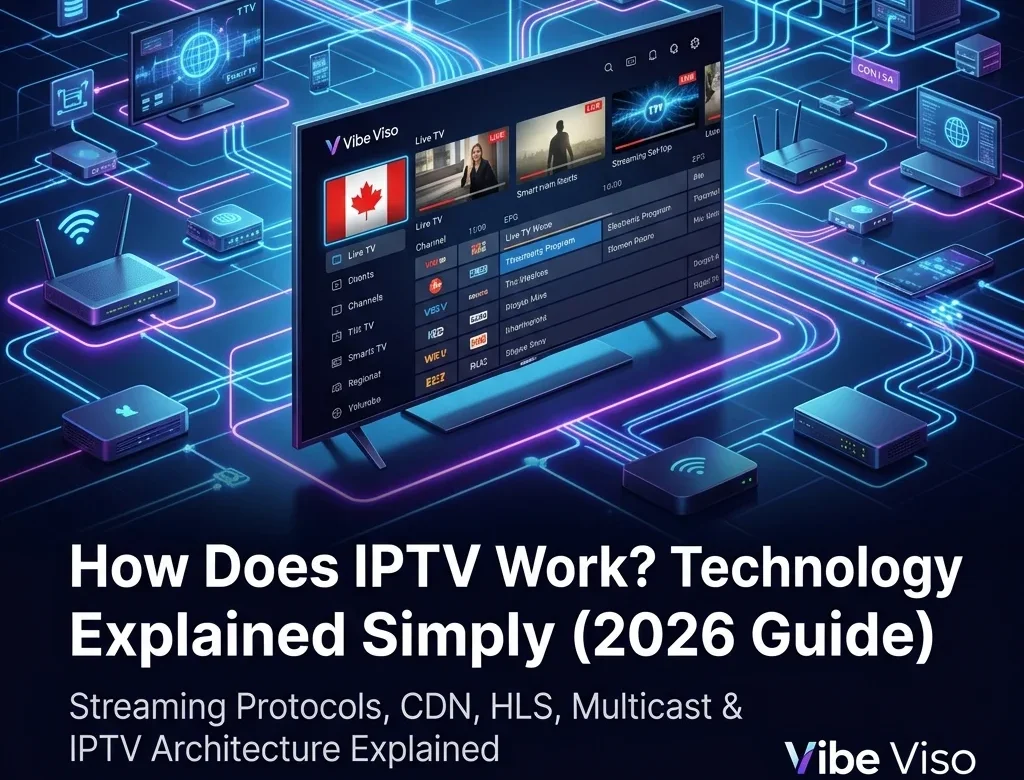
How Does IPTV Work? Technology Explained Simply IPTV (Internet Protocol Television) works by distributing television programming as digital data packets over standard Internet Protocol (IP) networks using a packet-switched, pull-based delivery model. Unlike traditional cable or satellite systems that continuously broadcast all channels simultaneously over radio frequency (RF) signals, an IPTV network only transmits the specific stream requested by the client device. The delivery pipeline operates in four major phases: Acquisition & Encoding: Raw feeds are ingested from satellites or fiber links and compressed using video codecs like H.264, H.265 (HEVC), or AV1. Packaging: Compressed video and audio streams are encapsulated into containers—MPEG-TS for live broadcasts or fragmented MP4 (fMP4) for on-demand media—alongside dynamic manifest index files (M3U8 for HLS or MPD for DASH). Distribution: Streams are cached on regional Content Delivery Network (CDN) edge nodes. Live TV is routed across private ISP networks via IP Multicast using IGMPv3 protocols to conserve bandwidth, while Video-on-Demand (VOD) uses IP Unicast connections. Playback: The client player parses the manifest, employs Adaptive Bitrate (ABR) heuristics to dynamically switch resolutions based on bandwidth fluctuations, and utilizes the device’s hardware SoC to decode and display the video. What Is IPTV and How Does It Work? Internet Protocol Television (IPTV) is the delivery of television content over IP-based networks rather than traditional terrestrial, satellite, or cable formats. Traditional cable TV broadcasts the entire frequency spectrum down physical lines, forcing the receiver to filter a single channel. In contrast, IPTV is a pull-based media system where the network routes only the specific stream requested by the client device. This selective delivery model optimizes network bandwidth and supports interactive services like timeshifted television and network-based recording. Modern architectures utilize a hybrid model: live feeds are broadcast via IP Multicast to conserve backbone bandwidth, while Video-on-Demand (VoD) and catch-up services are delivered via IP Unicast to individual subscribers. For more context on adoption trends, see what is IPTV. IPTV vs. OTT vs. Cable/Satellite Comparison To understand why IPTV is structurally different from standard streaming services and traditional television, review the primary architectural differences: Feature IPTV (Managed Network) OTT (Public Internet) Cable/Satellite (RF Coaxial/Dish) Delivery Medium Private, operator-managed IP network (VLAN-isolated) Public internet (best-effort delivery) Dedicated radio frequency (RF) spectrum End-to-End Latency Very low (1–3 seconds via UDP multicast) Moderate-to-high (6–18 seconds via HTTP unicast) Lowest (sub-second broadcast delay) Quality of Service (QoS) Yes (enforced by network priority queues) No (vulnerable to network congestion) Physical isolation prevents interference Bandwidth Impact Zero impact on general internet traffic (multicast) Competes with other local network downloads Direct transmission; burns zero LAN bandwidth Primary Use Cases Live telco television services (Bell Fibe, Telus Optik) Web-based video apps (Netflix, YouTube, RiverTV) Standard residential cable bundles and dish receivers The end-to-end IPTV pipeline follows this path: Each stage of the pipeline plays a specific role in maintaining stream flow: Content Source: Ingestion point for raw signals from direct fiber links, satellite downlinks, terrestrial broadcasts, or cameras. Encoder: Compresses raw baseband video into digital formats using H.264 (AVC) or H.265 (HEVC) codecs. Transcoder: Converts the encoded stream into multiple resolution and bitrate profiles, creating an Adaptive Bitrate (ABR) ladder to handle variable connection speeds. Packager: Encapsulates transcoded streams into delivery containers (like HLS .m3u8 or DASH .mpd segments, or MPEG-TS for multicast). Origin Server: The central repository hosting packaged media chunks and manifests, serving as the source for CDN pulls. CDN Edge: Distributed caching servers colocated at regional ISP Points of Presence (POPs) that intercept viewer requests locally to reduce latency. To learn which services utilize Canadian POPs, see best IPTV services across Canada. ISP Network: Transit infrastructure routing IP packets over fiber backbones, using DSCP tags for video packet prioritization. Home Router: Customer-premises gateway routing packets to decoders and using IGMP snooping to prevent local network flooding. IPTV Player: Client software parsing manifests, fetching chunks, managing a jitter buffer, and handling DRM. For client setup guides, consult the IPTV setup guide or see how to install IPTV on Firestick in Canada. TV Display: Physical screen rendering decoded progressive frames via HDMI and playing synchronized audio. For cost comparisons, see IPTV pricing in Canada. How live TV reaches your screen: A step-by-step walkthrough To trace this pipeline, consider a live TSN sports broadcast of a soccer match. At the stadium, a 4K camera captures video at 60fps, sending uncompressed 12 Gbps baseband video via 12G-SDI to an Outside Broadcast (OB) van. The production team mixes the feed and encodes it into a 50 Mbps HEVC contribution stream, transiting it via Secure Reliable Transport (SRT) over fiber to the broadcast center. At the center, transcoders convert the feed into an ABR ladder (e.g., 1080p at 8 Mbps down to 480p at 1.5 Mbps). The packager segments the video into 2-second fragmented MP4 (fMP4) chunks, encrypts them via AES-128, and updates the HLS .m3u8 manifest. The origin server hosts these files, which are cached by local CDN edge nodes. When a viewer selects the channel, the IPTV player retrieves the .m3u8 manifest from the local CDN. Selecting the 1080p stream, the player pulls sequential segments over the ISP’s GPON fiber network. GPON technology delivers up to 2.4 Gbps downstream using Wavelength Division Multiplexing (WDM) to multiplex multiple customer ONT connections. The packets flow to the home router, and then over Ethernet to the Set-Top Box. The player deposits chunks into a 3-second jitter buffer, negotiates DRM licenses, decodes the HEVC stream using the SoC’s hardware decoder, and displays the video on the TV screen via HDMI. How IPTV Content Is Acquired: Ingest and Contribution IPTV content acquisition, also known as ingest or contribution, is the process of collecting source television feeds from satellites, terrestrial antennas, local hardware interfaces, and live IP links, and routing them into the IPTV headend for processing. The reliability and fidelity of the IPTV service are bounded by this acquisition layer. Satellite feeds (DVB-S/S2) Satellite downlinks remain a primary source for linear ingest. Raw C-band (3.7–4.2 GHz) or Ku-band (11.7–12.7 GHz) signals are received by geostationary satellite dishes. At the dish’s focal point, a Low-Noise Block downconverter (LNB) amplifies the weak
What Is IPTV? The Complete Guide for Canadian Viewers (2026)
What Is IPTV? The Complete Guide for Canadian Viewers (2026) – CRTC Rules, Legal Risks & Setup Guide IPTV stands for Internet Protocol Television. It is a technology that transmits live television broadcasts and on-demand video over a broadband internet connection—using the exact same internet data packets that load websites or play YouTube videos. Unlike traditional cable TV, which requires a dedicated coaxial cable line, or satellite TV, which requires a physical dish antenna pointed at the sky, IPTV only requires a stable internet connection and a compatible player app or set-top box. In Canada, IPTV providers must be registered with the CRTC or follow strict exemption rules to distribute content legally. If you have ever watched live programming on CBC Gem, caught a hockey game on Sportsnet+, or logged into a streaming TV app on your phone, you have already used IPTV. Over the past decade, television delivery has undergone a quiet transition. Traditional TV networks are dismantling their analog broadcast towers and coaxial copper networks, migrating the entire infrastructure to internet-based transmission. For Canadian consumers, this shift represents both an opportunity and a source of confusion.The opportunity is obvious: cutting the cord and switching to internet-based television can save the average Canadian household over $100 per month. The confusion stems from the emergence of thousands of low-cost online services advertising claims such as “15,000 live channels for $10 a month” alongside legitimate providers like Bell Fibe TV, Rogers Xfinity TV, RiverTV, and VMedia.. Understanding the Canadian IPTV landscape in 2026 requires looking past user interfaces. The difference between a legal, licensed service and an unauthorized, grey-market stream lies in the regulatory compliance under Canada’s Broadcasting Act, licensing agreements with copyright owners, and the technical delivery systems operating behind the scenes. This guide is written to help you understand how the technology works, navigate the legal landscape, troubleshoot playback issues, and set up a compliant media player. 💬 People Also Ask: What does IPTV stand for? IPTV stands for Internet Protocol Television, which is the delivery of television content over IP networks. This contrasts with delivery through traditional terrestrial, satellite, and cable television formats. What Is IPTV? ⚡ Quick Answer: IPTV is the delivery of television programming over Internet Protocol (IP) networks. It works by transmitting encoded video streams in continuous data packets to specific IP addresses, rather than broadcasting all channels simultaneously over cable lines or satellite frequencies, allowing for high-definition, interactive, and multi-device viewing. To understand IPTV, it helps to compare it to the television formats that dominated the last half-century. Traditional cable and satellite systems use a continuous broadcast model. In a legacy coaxial cable network, the provider sends every channel’s signal down the wire to your home simultaneously. When you change channels on a traditional cable box, you are simply instructing the box to tune to a different frequency on the incoming line. This requires massive physical bandwidth and keeps you locked into a single physical location where the coaxial cable is terminated. IPTV, by contrast, only sends the channel you are actively watching. When you select a channel on an IPTV player, it sends a request back to the provider’s server. The server then initiates a unicast or multicast stream of data packets directly to your device’s IP address. This package-based transmission model means IPTV can be accessed over any stable internet connection, on any compatible device, anywhere in Canada. The Three Core Components of an IPTV System The Ingestion and Encoding Headend: Broadcast satellite signals, live camera feeds, and pre-recorded video files are captured and compressed using modern video codecs (such as H.264, H.265/HEVC, or AV1). The Content Delivery Network (CDN): Geographically distributed networks of servers cache and replicate the encoded stream segments. When a viewer in Calgary selects a channel, the stream is delivered from a CDN edge node located within the city, minimizing latency and buffering. The Client-Side Player Application: An app installed on a smart TV, streaming stick, or computer (such as Vibe Viso, TiviMate, or Apple TV) receives the incoming data packets, reassembles them, decompresses the video, and renders it on screen in real-time. [Satellite / Live Feed] ──> [Encoding Headend] ──> [CDN Edge Server (Local City)] ──> [ISP Gateway] ──> [Home Router] ──> [IPTV Player App] 💬 People Also Ask: Is IPTV the same as Netflix or standard streaming apps? While both transmit video over the internet, Netflix focuses almost entirely on pre-recorded Video-on-Demand (VOD) using asynchronous unicast streaming. IPTV specializes in delivering live, synchronized television broadcasts, complete with structured electronic program guides (EPG) and real-time channel switching. → Learn how Vibe Viso handles live stream playback — an advanced BYOM player optimized for high-bitrate live TV feeds. How Does IPTV Work in Canada? ⚡ Quick Answer: IPTV works by converting live TV signals into digital data packets, which are cached on local Canadian Content Delivery Networks (CDNs) and routed through ISPs using protocols like HLS or MPEG-DASH. Legal telecom services use managed multicast networks, while independent services use unicast over the public internet. To understand the difference in quality between various IPTV services, we must look at the two primary transmission architectures used to deliver streams to Canadian homes. Multicast Delivery vs. Unicast Streaming Managed Multicast IPTV (Telecom Networks) Major Canadian telecommunications companies (such as Bell with Fibe TV and Telus with Optik TV) deliver their television services over private, managed fiber-to-the-home (FTTH) networks using IP Multicast. This architecture relies on the Internet Group Management Protocol (IGMP, RFC 3376). In a multicast setup, the ISP sends a single video feed to a local network node. When your set-top box requests a channel, the local node replicates the feed to your specific port. This prevents the ISP’s network backbone from becoming congested, as a million viewers watching a hockey game only consume the bandwidth of a single stream on the main transmission line. WARNING If you use your own router behind a telecom gateway, you must enable IGMP Snooping in your router’s LAN settings. Without IGMP Snooping, the router treats multicast stream packets as broadcast packets, sending them