
An IPTV vs satellite comparison reveals that while IPTV delivers video streams over terrestrial broadband internet connections, satellite TV broadcasts television signals directly from geostationary space satellites to a home dish. Choosing between them depends on your location, internet availability, and budget. IPTV offers superior interactive features (VOD, catch-up) and multi-device flexibility for high-speed fiber households, whereas satellite remains the most reliable option for rural or off-grid locations where high-speed broadband is unavailable.
IPTV vs Satellite TV: Which Is Better in 2026?
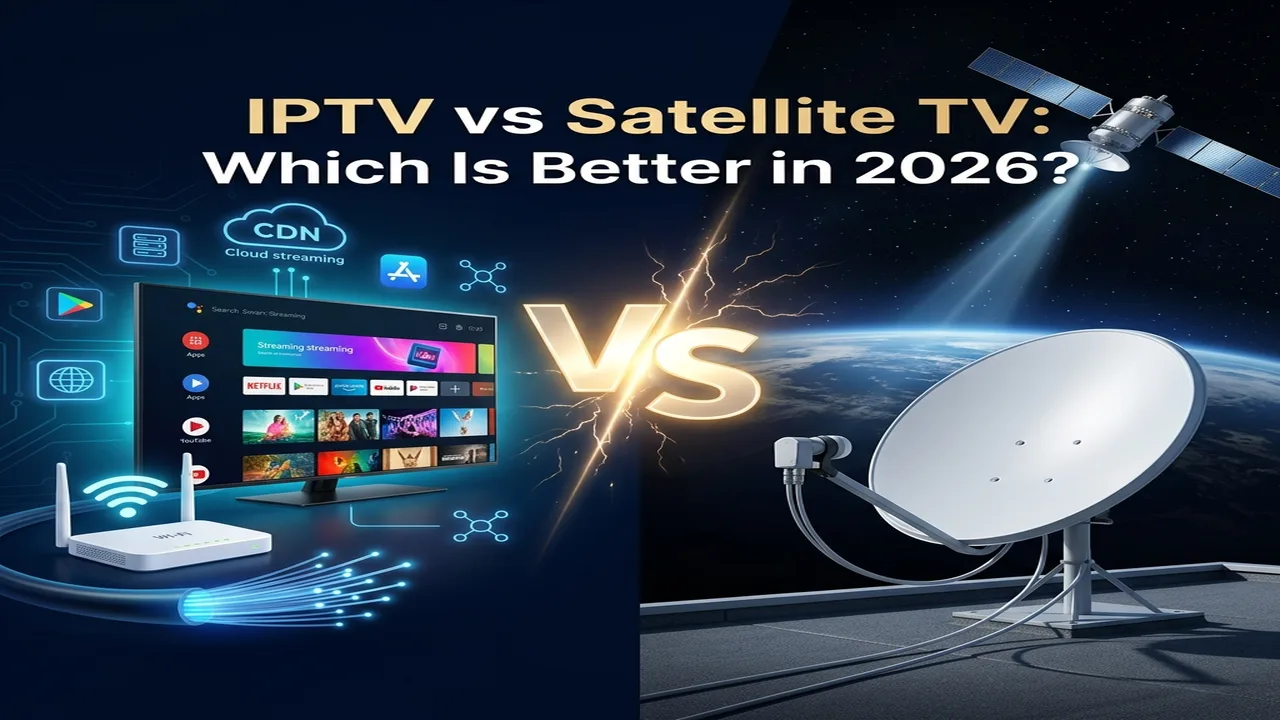
IPTV vs satellite is one of the most common television decisions Canadian households face in 2026. IPTV delivers video streams over your home internet connection, while satellite TV broadcasts directly from satellites in orbit to a rooftop dish — no internet required. The right choice depends entirely on where you live, the speed of your internet connection, and what you plan to watch.
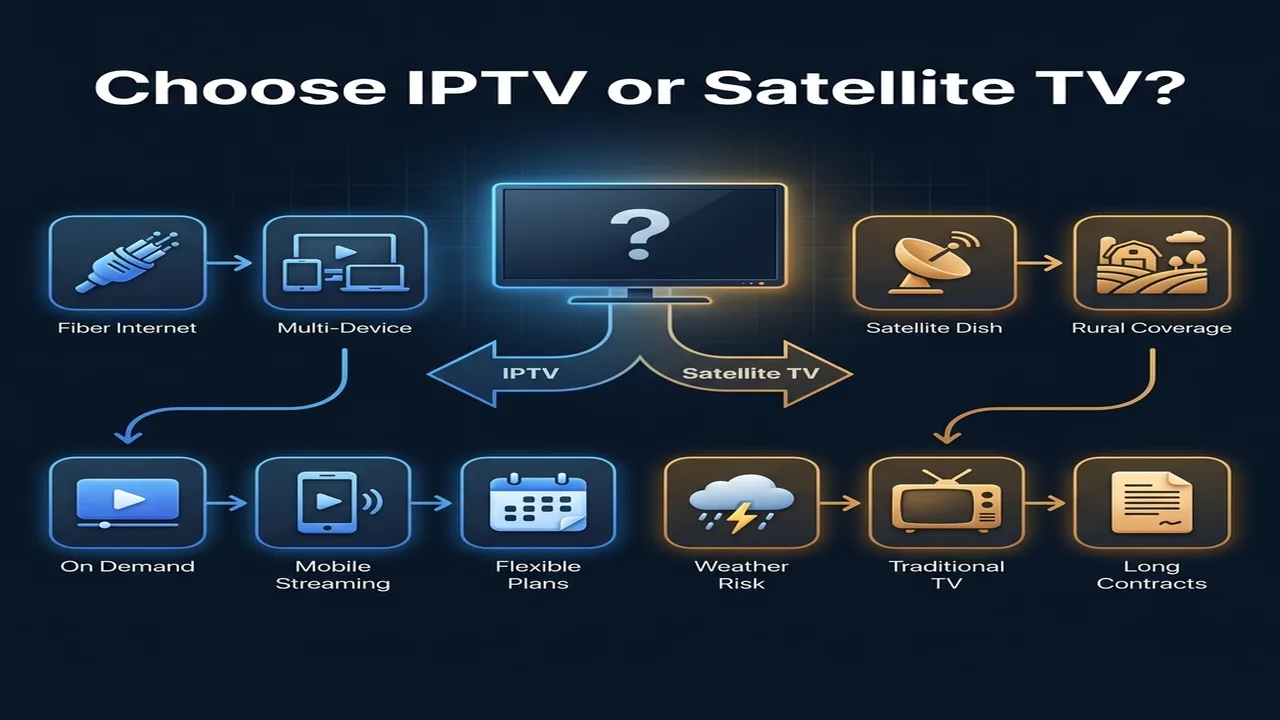
If you have a reliable broadband connection, IPTV is almost certainly the better, cheaper, and more flexible option. If you live in a remote area without fiber or cable access, satellite TV may still be your most stable choice. Read the quick summary below to find your answer in under 60 seconds.
Quick Answer: IPTV vs Satellite TV
IPTV is better for most Canadian households in 2026. It offers lower hardware costs, multi-device viewing, on-demand libraries, and no dish installation. Most urban and suburban Canadians with a reliable broadband connection will get a better experience from IPTV than from a traditional satellite subscription.
Satellite TV is better for rural and remote households that do not have access to reliable high-speed internet. It works completely independently of your internet connection and delivers a stable broadcast signal regardless of network congestion.
Bottom Line: If you have internet, choose IPTV. If you don’t, satellite TV may be your only option — but Starlink is rapidly changing that for rural Canada.
IPTV vs Satellite TV: Key Differences at a Glance
| Feature | IPTV | Satellite TV |
|---|---|---|
| Delivery Method | Internet (fiber, cable, DSL) | Roof dish + radio signals from orbit |
| Internet Required | Yes | No |
| Hardware Needed | Fire Stick, Smart TV, or IPTV Box | Parabolic dish, LNB, coaxial cable, receiver |
| Weather Impact | Not affected | Signal drops in heavy rain or snow |
| Live Sports Delay | 10–45 seconds | 5–7 seconds |
| Multi-Device Support | Yes (phones, tablets, smart TVs) | No (tied to receiver boxes) |
| Contract Required | Usually no | Often 2-year lock-in |
| 4K Availability | Increasing | Limited |
| VOD / Catch-Up | Yes | Rarely |
Monthly Cost Comparison: IPTV vs Satellite TV
Pricing is one of the clearest differences in the iptv vs satellite decision. Satellite TV requires significant upfront and ongoing investment. IPTV entry costs are minimal.
| Cost Category | IPTV | Satellite TV |
|---|---|---|
| Hardware (One-Time) | 30–100 (streaming stick or box) | 100–300 (dish, LNB, receiver) |
| Professional Installation | None required | 100–200+ (dish alignment) |
| Monthly Service | Lower (flexible plans available) | Higher (includes hardware rental) |
| Receiver Rental (per TV) | $0 | 10–20/month per additional room |
| Contract Length | Month-to-month | Often 2-year lock-in |
| Cancellation Fee | Usually none | Can be 200–400+ |
In Canada, major satellite providers like Bell Satellite TV and Shaw Direct typically bundle service fees with long-term contracts. Moving homes requires reinstalling and realigning the dish. With IPTV, you take your streaming stick and your subscription anywhere you have an internet connection.
Pros and Cons: IPTV vs Satellite TV
IPTV Pros and Cons
IPTV Pros
- No dish installation required
- Works on phones, tablets, smart TVs, and Fire Sticks simultaneously
- Includes VOD libraries and catch-up TV
- Flexible month-to-month plans with no cancellation fees
- Works in apartments, condos, and rental homes where dishes are restricted
IPTV Cons
- Requires a reliable high-speed internet connection
- Picture quality depends on your ISP and provider
- Buffering possible during internet outages or congestion
- Not suitable for areas without broadband access
Satellite TV Pros and Cons
Satellite TV Pros
- Works without any internet connection
- Reliable option in rural and remote areas of Canada
- Stable broadcast signal for live events and news
- Lower live sports delay than most IPTV setups
Satellite TV Cons
- Dish and professional installation required
- Signal drops during heavy rain, wet snow, and storms
- Tied to fixed receiver boxes — no mobile or multi-device support
- Long-term contracts with cancellation penalties
- Physical dish maintenance required in Canadian winters
Picture Quality: IPTV vs Satellite TV
Picture quality is a common concern for households upgrading their television setup. Both technologies can deliver HD and in some cases 4K content, but the consistency of that quality differs.
| Quality Feature | IPTV | Satellite TV |
|---|---|---|
| HD Quality | Excellent on fiber or cable | Excellent |
| 4K Availability | Increasing (depends on provider) | Limited (few broadcasters offer 4K) |
| Compression Artifacts | Depends on your IPTV provider’s encoder | Depends on the broadcaster’s transponder |
| Live Sports Delay | Higher (10 to 45 seconds buffer) | Lower (5 to 7 seconds) |
| Weather Degradation | None | Pixelation and dropout in heavy rain/snow |
| Multiple TVs | Unlimited (app-based) | Extra receiver rental per room |
IPTV picture quality is highly consistent on fast connections, often delivering 1080p or 4K with minimal compression. The biggest picture-quality risk with IPTV is a slow or congested internet connection, which causes buffering or resolution drops. With satellite, the signal is consistent in calm weather, but storms — especially wet Canadian snowfalls — can cause pixelation and complete signal loss.
For live sports, satellite TV has a slight advantage in raw signal delay. However, the gap between neighbours celebrating a goal before you see it on IPTV is also narrowing with Low-Latency HLS (LL-HLS) streaming protocols.
Channel Selection: IPTV vs Satellite TV
Channel availability is one of the biggest decision factors for Canadian households, especially for sports fans and international viewers.
IPTV Channel Selection
IPTV services typically offer a broader range of channels than traditional satellite packages:
- International channels: Hundreds of channels from South Asia, the Middle East, Europe, and Latin America available through dedicated IPTV packages.
- Niche and specialty channels: Channels not available through traditional Canadian broadcast distribution.
- VOD libraries: Thousands of on-demand movies and TV series included in many IPTV packages.
- Catch-up TV: Watch broadcasts from the past 7 days on demand.
Satellite TV Channel Selection
Traditional satellite packages from Canadian providers focus on curated, licensed broadcast content:
- Traditional Canadian and US network channels in reliable broadcast quality.
- Regional sports networks (RSNs) such as Sportsnet and TSN with official licensing.
- Premium sports bundles (NFL Sunday Ticket, MLB Extra Innings) from providers like Bell Satellite.
- Pay-per-view events with guaranteed signal availability.
For households that prioritize officially licensed Canadian sports channels and guaranteed broadcast rights, satellite still has advantages. IPTV services, particularly third-party providers, offer larger catalogs but availability of specific regional channels varies.
Internet Speed Requirements for IPTV
Since internet access is the foundation of IPTV, understanding minimum speed requirements is essential before switching:
- Standard Definition (SD): Minimum 3 Mbps download speed
- High Definition (HD 1080p): Minimum 15 Mbps download speed
- Ultra HD (4K): Minimum 25 Mbps download speed
- Multiple simultaneous streams: Add 15–25 Mbps per additional stream
Most urban Canadian households with fiber or cable internet well exceed these minimums. The risk zone is rural households on capped LTE hubs, fixed wireless, or legacy DSL connections.
Does Satellite TV Work Without Internet?
Yes, satellite TV works completely independently of your internet connection. This is the single biggest advantage of satellite in rural Canada.
The satellite dish receives its signal directly from broadcasting satellites in orbit. Your home internet service is irrelevant to television reception. During an internet outage, your satellite TV continues operating normally.
This makes satellite TV the preferred choice for remote properties, seasonal cottages, and off-grid locations — until recently. The rise of Starlink’s Low Earth Orbit (LEO) satellite internet now means many rural properties can access fast, low-latency internet, making IPTV viable even in remote locations.
Weather Reliability: Rain Fade and Canadian Winters
Weather is the most significant practical limitation of satellite TV in Canada. IPTV has no atmospheric vulnerability.
Satellite TV uses high-frequency microwave signals to transmit from orbit. In heavy rain or wet snowfall, these signals are scattered and absorbed by water droplets — a phenomenon called rain fade. This causes the classic satellite “No Signal” error during Canadian storms and blizzards.
Canadian winter dish maintenance is also a real consideration: subscribers must manually clear snow and ice from the dish face and feedhorn to restore signal. Dish heaters and hydrophobic coatings help, but require ongoing attention throughout winter.
IPTV is immune to atmospheric interference. As long as your physical internet line and home power are active, weather has no impact on stream quality.
The Starlink Factor: Rural IPTV Is Now Possible
The rural satellite TV argument is weakening. Starlink now covers most of rural Canada with download speeds typically above 100 Mbps and latency between 30 and 50 milliseconds — fast enough to stream 4K IPTV without buffering.
Unlike traditional geostationary satellite internet (which was too slow and laggy for streaming), Starlink’s Low Earth Orbit constellation sits roughly 65 times closer to Earth, eliminating the latency problem. Rural Canadians who install Starlink can now access the same IPTV experience as urban fiber subscribers, without any satellite TV dish or broadcast contract.
How Each Technology Works (Technical Summary)
For readers who want to understand the underlying technology:
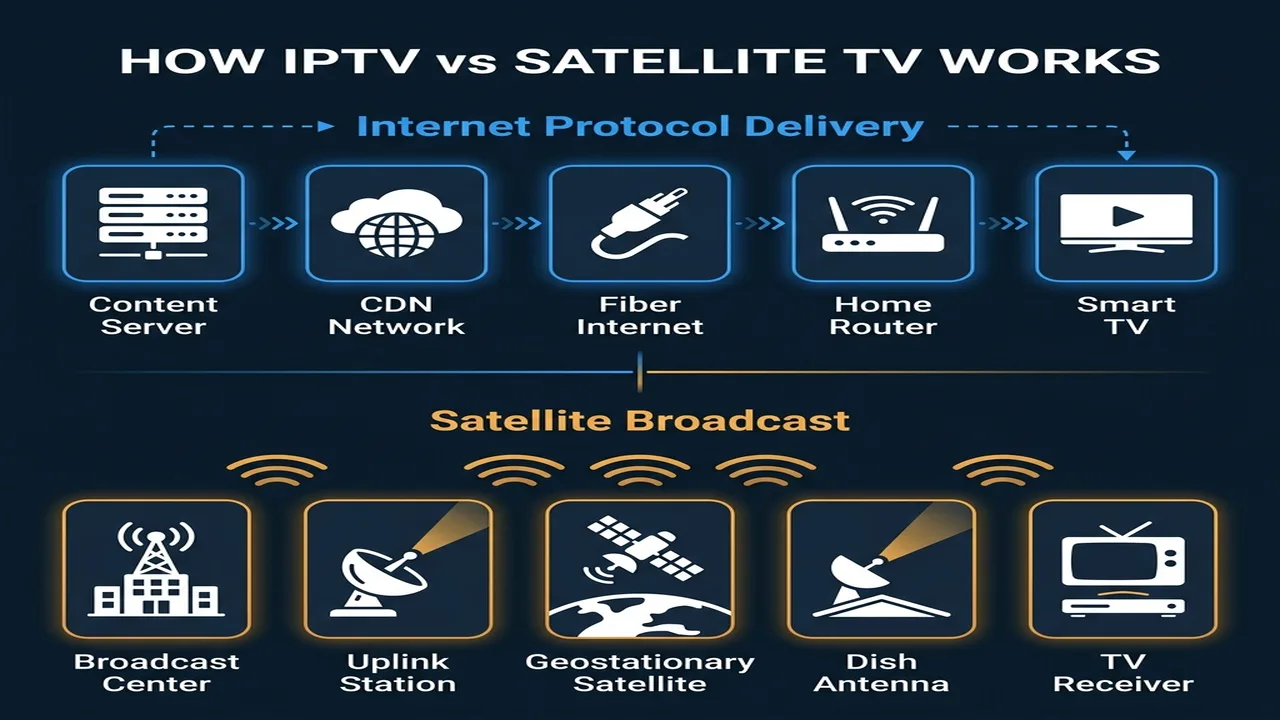
Satellite TV transmits encoded video from a ground station up to satellites orbiting at approximately 35,786 km above Earth. The signal bounces back down to your parabolic dish, is converted by the LNB to a usable frequency, and decoded by your receiver. The entire signal round-trip takes approximately 240 milliseconds — a physical limitation imposed by the speed of light and the distance to orbit. This is why satellite TV has a slightly lower delay than many IPTV setups for live sports, despite its reputation for lag.
IPTV delivers your channels as data packets over your internet connection, using the same infrastructure as your web browser. A Content Delivery Network (CDN) node close to your ISP serves video segments to your player app (such as TiviMate or IPTV Smarters). The player buffers a few seconds of video to smooth over minor connection drops, which creates the 10–45 second live delay most users experience. On fast, stable connections with optimized playlists, this delay can be reduced significantly.
Advanced: Ku-Band Transponders, LNBs, and Signal Physics
Satellite TV broadcasts primarily in the Ku-band frequency range (12–18 GHz). At the subscriber’s home, the LNB (Low-Noise Block downconverter) amplifies the weak incoming signal and down-converts it from microwave frequencies to the L-band (950–2150 MHz), which can be carried over standard RG-6 coaxial cable to your receiver. The receiver then decodes the DVB-S2 transport stream encoded in MPEG-TS format.
Rain fade occurs because Ku-band microwave wavelengths (~2.5 cm) are close in size to water droplets, causing scattering and absorption in heavy precipitation. When the signal-to-noise ratio drops below your receiver’s threshold, the picture freezes or displays a “No Signal” error.
The Final Verdict: Which Is Better in 2026?
For most Canadians: IPTV wins. The combination of lower cost, multi-device flexibility, VOD libraries, and no physical installation makes IPTV the obvious choice for households with reliable broadband.
For rural Canadians without broadband: Satellite TV remains a reliable fallback. However, Starlink is rapidly closing this gap across rural Canada, making IPTV viable for an increasing number of remote households.
For live sports purists: Satellite TV technically delivers a slightly lower live delay, but the gap is narrowing. Both technologies can deliver HD and 4K sports coverage with appropriate subscriptions.
For a full overview of how Canadian broadcasting regulations affect IPTV and satellite providers, the CRTC’s Broadcasting Distribution Regulations outline which services are licensed in Canada. Starlink’s rural availability can be verified directly at Starlink.com/ca.
Before setting up your IPTV service, read our complete IPTV Setup Guide for Canada and our IPTV vs OTT comparison to understand all your streaming options. Our IPTV Glossary explains every technical term you will encounter, and our M3U playlist guide and EPG setup guide will help you configure your player for the best possible experience.
People Also Ask
- Can I stream IPTV if I use satellite internet (like Starlink)?
- Answer: Yes. Unlike legacy geostationary satellite internet (which has high latency), Starlink’s low-latency LEO network easily supports high-definition IPTV streams without buffering.
- Which has lower lag/delay for live sports?
- Answer: Satellite TV has a lower delay (typically 5 to 7 seconds behind live play). IPTV usually has a delay of 10 to 45 seconds due to the player’s client-side buffer.
- Do I need a Smart TV to watch IPTV?
- Answer: No. While Smart TVs can run IPTV apps natively, you can use any standard television by connecting an inexpensive streaming device like an Amazon Fire Stick or Google Chromecast.
- Will heavy rain or snow cause IPTV to buffer?
- Answer: No. IPTV signals travel through underground or insulated landlines, making them completely immune to rain fade, blizzards, and wind storms.