
Playlist for IPTV | Best Setup Methods for All Devices 2026
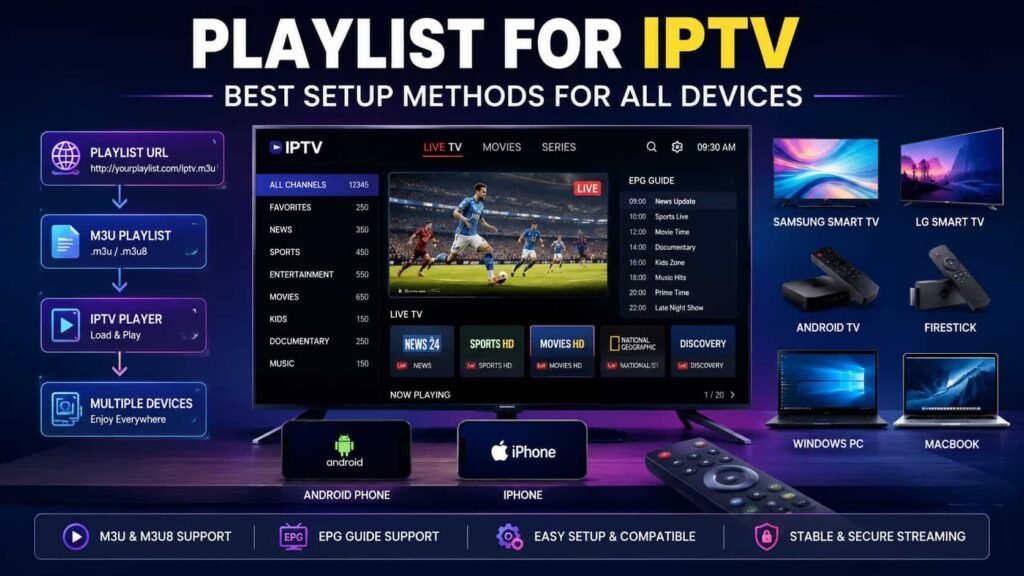
Looking for the best Playlist for IPTV to enjoy seamless live TV streaming? Whether you’re new to IPTV or searching for a better way to manage channels, understanding how an M3U playlist, Playlist URL, and EPG work together is essential for a smooth viewing experience. A well-configured Playlist for IPTV helps organize channels, improve loading speed, and simplify access across multiple devices using a compatible IPTV Player. In this guide, you’ll learn everything from playlist setup and management to optimization and security best practices. If you’re in Canada and looking for a reliable streaming solution, Vibe Viso can help you get the most out of your IPTV experience. What Is a Playlist for IPTV? A Playlist for IPTV is a file or URL that contains a collection of streaming sources used by an IPTV player to access live TV channels, movies, series, and other media content. It acts as a digital channel directory, helping the player locate and organize streams for seamless playback across supported devices. Understanding a playlist for IPTV is essential because it serves as the foundation of every IPTV service. Whether you use a local playlist file or a remote playlist URL, the playlist tells the IPTV player where to find media streams and how to display them properly. Without a valid playlist, an IPTV player cannot load channels, categories, or video content. What Does a Playlist for IPTV Mean? A playlist for IPTV refers to a structured collection of streaming links that an IPTV player reads to display channels and media content. It works as a roadmap that connects users to live TV, video-on-demand libraries, and internet-based television streams through organized channel listings. In simple terms, an IPTV playlist contains the information required to access and organize media streams. Most IPTV services provide playlists in M3U playlist or M3U8 playlist formats because these formats are widely supported across different IPTV applications and streaming devices. As IPTV providers, we often explain to users that the playlist itself does not contain the video content. Instead, it contains references to streaming locations, making it easier for an IPTV player to retrieve and play content instantly. How Does an IPTV Playlist Work? An IPTV playlist works by providing a list of streaming URLs that an IPTV player reads and converts into a usable channel interface. The player scans the playlist, identifies available channels, groups content into categories, and then connects users to the appropriate media streams when selected. When a user imports a playlist URL for IPTV or uploads a playlist file, the IPTV player processes the data and builds a channel directory. The system then fetches information such as channel names, logos, categories, and stream locations. The process typically follows these steps: User adds an IPTV playlist. IPTV player reads playlist data. Channel information is extracted. Streaming URLs are validated. Channels are displayed inside the app. Users select content and begin streaming. A properly configured IPTV playlist setup ensures faster loading, better organization, and improved playback stability. Why Does Every IPTV Player Need a Playlist? Every IPTV player requires a playlist because it provides the channel and stream information necessary for content playback. Without a playlist, the player has no source data to identify available channels, organize content, or connect to streaming servers. Think of an IPTV player as a media reader. The player itself does not provide channels. Instead, it depends on an external playlist source to access content. A playlist enables the player to: Load live TV channels Organize categories automatically Display channel names and logos Access VOD content Refresh updated streams Manage channel lists efficiently This is why successful IPTV playlist configuration is one of the most important steps when setting up any IPTV service. From our experience managing IPTV services for Canadian viewers, many playback issues occur because users upload an incorrect playlist or use an outdated playlist URL. A properly maintained playlist significantly improves the overall viewing experience. What Information Is Stored Inside an IPTV Playlist? An IPTV playlist file stores channel information, streaming URLs, media metadata, category details, and playback instructions. These details help IPTV players identify content, organize channels, and connect viewers to the correct streaming sources. A standard media playlist may contain: Playlist Element Purpose Channel Name Identifies the TV channel Streaming URL Direct link to the media stream Channel Logo Displays channel branding Group Category Organizes channels into sections TV Guide Data Supports EPG integration Media Metadata Provides content information Stream Format Defines playback compatibility Most modern IPTV services use an M3U playlist for IPTV because it supports all essential metadata while remaining lightweight and highly compatible. Common playlist formats include: M3U Playlist M3U8 Playlist Remote Playlist URL Local Playlist File Stream Playlist Live TV Playlist Internet TV Playlist For long-term stability, IPTV users should regularly review their IPTV playlist management, update expired streaming links, and verify playlist compatibility across devices. Proper playlist maintenance helps reduce loading issues, buffering problems, and channel availability errors. A well-structured playlist for IPTV acts as the backbone of the entire streaming experience, ensuring channels load correctly, categories remain organized, and content stays accessible whenever users want to watch their favorite programs. IPTV Playlist Basics You Should Know Before using any IPTV service, it is important to understand the basics of an IPTV playlist, including its structure, formats, and delivery methods. A properly configured playlist helps IPTV players organize channels, load streams efficiently, maintain compatibility across devices, and provide a smooth viewing experience. Whether you are following an IPTV playlist setup guide, learning IPTV configuration, or comparing different playlist formats, understanding these fundamentals helps prevent loading errors, playback issues, and channel management problems. For Canadian IPTV users, proper playlist organization can significantly improve streaming stability and user experience. IPTV Playlist Structure The IPTV playlist structure is the framework that organizes channel information, streaming links, metadata, and playback instructions inside a playlist. This structure allows IPTV players to identify channels, group content into categories, and connect users to the correct media streams quickly and efficiently.