
Best IPTV Online Player in 2026 | Complete Setup Guide
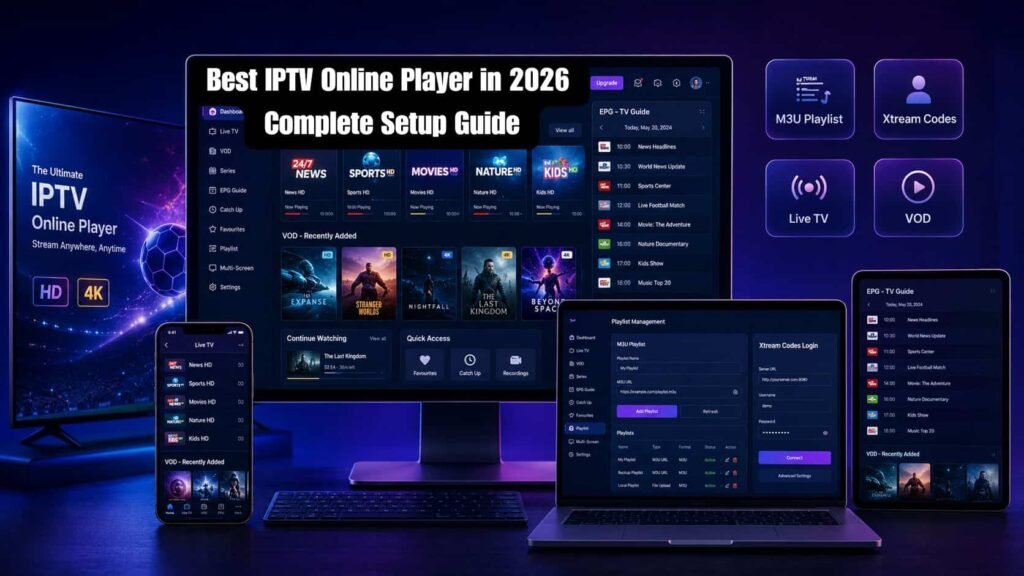
Want to watch IPTV channels without downloading or installing a dedicated application? An IPTV Online Player lets you stream live TV, sports, movies, and Video on Demand (VOD) content directly from your web browser using an M3U Playlist or an Xtream Codes login. Many users struggle with complicated IPTV setups, app compatibility issues, and device limitations. The good news is that browser-based IPTV players offer a faster and more convenient way to access IPTV services across desktops, laptops, tablets, Smart TVs, and mobile devices. In this guide, you’ll learn how IPTV Online Players work, how to set them up using M3U playlists or Xtream Codes, the most common troubleshooting solutions, performance optimization tips, and whether a browser IPTV player is better than popular IPTV apps. By the end, you’ll have everything you need to start streaming IPTV smoothly and efficiently. What Is an IPTV Online Player? IPTV Online Player is a web-based streaming tool that allows users to watch IPTV channels, live TV, Video on Demand (VOD), and sports content directly through a browser without installing dedicated software. Most IPTV web players support M3U Playlist, Xtream Codes, Electronic Program Guide (EPG), and HTTP Live Streaming (HLS) technologies for seamless streaming. An IPTV Online Player, sometimes called an IPTV Web Player or Browser IPTV Player, works entirely within a web browser. Instead of downloading applications on a Smart TV, Android device, Windows PC, or Mac, users can access their IPTV service via web browsers such as Google Chrome, Mozilla Firefox, or Microsoft Edge. From an IPTV industry perspective, web-based IPTV players have become increasingly popular because they offer instant access, faster setup, and cross-device compatibility. Users can switch between devices without reinstalling apps while maintaining access to their playlists, channel groups, and Electronic Program Guide data. Key technologies commonly used by IPTV Online Players include: M3U Playlist for channel delivery Xtream Codes for account authentication Electronic Program Guide (EPG) for TV schedules HTTP Live Streaming (HLS) for adaptive video streaming For users who want quick IPTV access without software installation, a Browser IPTV Player offers one of the simplest and most flexible solutions. Why Use an IPTV Online Player Instead of Downloading an App? IPTV Online Player provides instant IPTV access through a browser, eliminating app downloads, installation requirements, storage limitations, and software updates. It allows users to stream IPTV content quickly from virtually any device using a modern web browser. One of the biggest advantages of an IPTV without an app solution is convenience. Many users want immediate access to live TV, sports events, news channels, and Video on Demand libraries without spending time installing software. Modern Web IPTV Players are designed to work efficiently with popular browsers, including: Google Chrome Mozilla Firefox Microsoft Edge Benefits of Using a Browser IPTV Player Feature IPTV Online Player Traditional App Installation Required No Yes Device Switching Easy Limited Storage Usage Minimal Higher Software Updates Automatic Manual Quick Access Instant Requires Installation For sports fans watching major events such as international football tournaments, a browser-based IPTV player can provide immediate access without device-specific restrictions. From a user experience perspective, IPTV Online Players are particularly useful when: Using public or shared devices Testing IPTV services Accessing IPTV on workstations Switching between multiple devices Avoiding frequent app updates The main consideration is ensuring a stable internet connection and a compatible browser for optimal streaming quality. How Does an IPTV Online Player Work? IPTV Online Player works by receiving IPTV stream data through an M3U Playlist or Xtream Codes login and delivering video content using streaming protocols such as HLS. The player organizes channels, VOD content, and schedules through an integrated EPG system. The streaming process is relatively straightforward: IPTV Online Player Workflow User enters M3U Playlist URL or Xtream Codes credentials. The IPTV server validates access. Channel and content data are loaded. EPG information is retrieved. Video streams are delivered using HLS technology. Content plays directly inside the browser. Core Components Component Function M3U Playlist Channel list delivery Xtream Codes User authentication HLS Video streaming protocol EPG Program schedule display In practical IPTV deployments, HLS helps maintain stream stability by automatically adjusting video quality based on internet speed. This reduces buffering and improves the viewing experience, especially during live sports broadcasts and high-traffic events. An effective IPTV Player Guide should always recommend checking playlist validity, server reliability, and EPG synchronization to ensure smooth operation. Key Features Every IPTV Online Player Should Have The Best IPTV Online Player should include support for M3U playlists, Xtream Codes authentication, EPG integration, Catch-up TV, Video on Demand (VOD), subtitle support, responsive design, and reliable streaming performance across multiple devices and browsers. When evaluating IPTV streaming solutions, feature quality often matters more than visual design. Essential IPTV Player Features 1. M3U Playlist Support Allows users to load IPTV channel lists quickly and efficiently. 2. Xtream Codes Integration Provides simplified account authentication without manually importing playlists. 3. EPG Support Displays channel schedules, program details, and upcoming broadcasts. 4. Catch-up TV Enables users to watch previously aired content within supported time windows. 5. Video on Demand (VOD) Provides access to movies, series, documentaries, and other on-demand content. 6. Subtitle Support Improves accessibility and enhances multilingual viewing experiences. 7. Adaptive Streaming Maintains playback quality during network fluctuations. 8. Multi-Device Compatibility Ensures usability across desktops, laptops, tablets, and smartphones. Quick Checklist A quality IPTV Online Player should offer: M3U Compatibility Xtream Codes Login EPG Integration Catch-up TV VOD Library Access Subtitle Options Fast Loading Speed Stable Streaming Performance These features collectively improve usability, viewing flexibility, and long-term user satisfaction. Which IPTV Online Player Is Best in 2026? The best IPTV Online Player in 2026 depends on user requirements, device compatibility, streaming preferences, and IPTV provider support. Popular IPTV players frequently considered by users include TiviMate, IPTV Smarters Pro, VLC media player, and Kodi, each offering different strengths. IPTV Player Comparison Player Best For Strength TiviMate Android TV Users Advanced TV Interface IPTV Smarters Pro Multi-Device Users Xtream Codes Support VLC Media Player Beginners Simple Playback Kodi Power Users
Ultimate IPTV Configuration Guide for Beginners | Vibe Viso
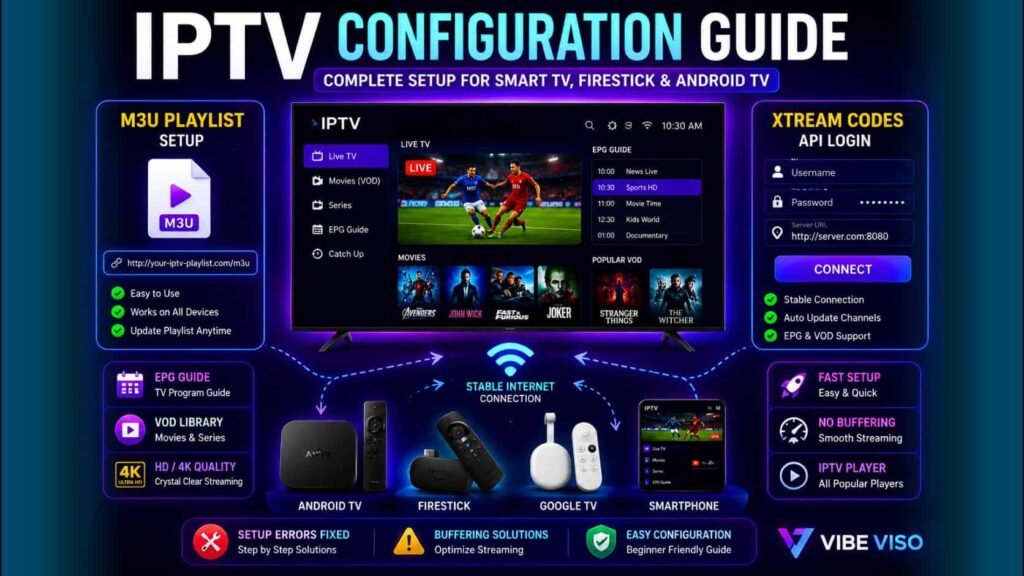
Are you looking for a reliable IPTV Configuration Guide to set up your streaming service without errors or buffering issues? This Complete IPTV Configuration Guide covers everything you need to know, from adding an M3U Playlist or Xtream Codes API to configuring EPG and VOD on your favorite IPTV Player. Whether you use a Smart TV, Android TV, Fire TV Stick, Google TV, or another Streaming Device, this step-by-step IPTV Configuration Guide will help you achieve smooth performance. You’ll also learn how IPTV Smarters Pro, TiviMate, and XCIPTV work with a stable Internet Connection and Quality IPTV Subscription. If you’re searching for the best IPTV for Canada football matches, this IPTV Setup and Configuration Guide from Vibe Viso provides the essential setup tips for an uninterrupted viewing experience. What Is IPTV Configuration and Why Does It Matter? The IPTV Configuration Guide explains how to properly connect an IPTV service to an IPTV Player, configure the required settings, and establish a stable Internet Connection on a compatible Streaming Device. Proper configuration is essential because it directly affects channel loading speed, streaming stability, playback quality, and the overall user experience. The complete IPTV configuration process explained includes entering login credentials, adding playlists, connecting servers, and optimizing player settings. Whether you follow an IPTV Setup Guide, IPTV Installation Guide, IPTV Configuration Tutorial, or IPTV Setup Step by Step resource, the goal remains the same: ensuring reliable and uninterrupted streaming. For beginners, a Beginner’s Guide to IPTV Configuration helps simplify the setup process and reduces common mistakes that can lead to connection failures or poor performance. Understanding how IPTV configuration works is important because every setting influences how content is delivered to your device. A properly configured IPTV service creates a smoother viewing experience, faster channel switching, and better compatibility across multiple devices. That is why every IPTV Setup and Configuration Guide considers configuration one of the most important steps before streaming begins. IPTV configuration becomes easier when you first understand how IPTV technology works. How Does IPTV Configuration Affect Streaming Quality? IPTV configuration directly impacts video quality, channel stability, loading speed, and buffering frequency. The best IPTV configuration for smooth streaming ensures that your Internet Connection, player settings, and server credentials work together efficiently to deliver consistent HD and 4K streams. Many users ask how IPTV configuration affects streaming because even premium services can perform poorly when settings are incorrect. A properly configured IPTV Player can improve playback responsiveness and reduce interruptions during live sports and entertainment streams. An effective IPTV streaming quality optimization guide focuses on selecting the correct playback settings, maintaining a stable network, and using a reliable Streaming Device. These factors help ensure smooth content delivery from the IPTV server to the viewer. Understanding how to avoid buffering during IPTV configuration is especially important for football fans watching major events. Incorrect player settings, unstable internet connections, or incomplete setup procedures can increase buffering and reduce picture quality. Proper configuration minimizes these issues and creates a more reliable streaming experience. How Do You Configure IPTV Step by Step? A proper IPTV Configuration Guide starts with choosing a valid IPTV Subscription, installing a compatible IPTV Player, entering login credentials, loading playlists, configuring the EPG, and testing playback quality. Following a structured Beginner IPTV Setup and Configuration Guide helps users complete the setup correctly, even without technical knowledge. When people search for how to configure IPTV step by step, they usually want a simple process that works across different devices. In real-world testing, most setup issues occur because users skip a step, enter incorrect credentials, or use an unsupported player. A practical Complete IPTV Configuration Guide for Beginners typically follows these stages: IPTV Configuration Checklist for Beginners Verify your active IPTV Subscription. Prepare a stable Internet Connection. Install a trusted IPTV Player such as IPTV Smarters Pro, TiviMate, or XCIPTV. Obtain your M3U Playlist URL or Xtream Codes API credentials. Configure the player correctly. Load the EPG for channel schedules. Test live TV, sports channels, and VOD content. Optimize playback settings for your device. This IPTV Configuration Process for Beginners is similar whether you use a Smart TV, Android TV, Google TV, Fire TV Stick, Streaming Device, smartphone, tablet, or desktop computer. Step 1: Install a Compatible IPTV Player The first step in any IPTV Installation and configuration process is selecting a reliable player. Different players offer different levels of performance and customization. IPTV Player Best For IPTV Smarters Pro Easy setup for beginners TiviMate Advanced customization and sports streaming XCIPTV Lightweight and user-friendly experience In practice, many first-time users find IPTV Smarters Pro easier to configure, while experienced users often prefer TiviMate for its advanced playback and EPG features. Step 2: Add Your IPTV Login Credentials After installation, enter the credentials provided by your IPTV provider. Most services use one of these methods: M3U Playlist URL Xtream Codes API Username Password Server URL This stage is often where configuration errors occur. A single missing character in the server address can prevent channels from loading correctly. Step 3: Configure EPG and Content Categories Once channels load successfully, configure the EPG. The EPG provides channel schedules, match times, program information, and event listings. For sports fans, a properly configured EPG makes it easier to follow football matches, tournament schedules, and live event coverage without manually searching for channels. Step 4: Test Streaming Performance A professional IPTV Configuration Tutorial should always include testing. Check: Channel loading speed HD and 4K playback quality Audio synchronization EPG accuracy VOD functionality Device responsiveness A setup should not be considered complete until these tests pass successfully. Step 5: Optimize for Long-Term Stability Many users think installation is the final step. In reality, long-term performance depends on optimization. Recommended practices: Use wired Ethernet when possible. Maintain a fast and stable Internet Connection. Keep your IPTV Player updated. Clear cache periodically. Restart your Streaming Device after major updates. These small adjustments often have a greater impact on viewing quality than users expect. What Information Do You Need Before Configuring IPTV?